Stay on Monterey
macOS 12.7.6

Stay on Monterey.

Brave, Electron and the apps built on them, rebuilt from source for Intel Macs that can't go further and shouldn't have to.

Why stop at twelve.

Monterey is the newest macOS these Macs run well. Ventura and later either drop the GPU drivers on Macs without AVX or drag a GPU from 2010 to a crawl. Monterey itself is fine. What's missing is modern software for it.

1

The GPU can't come along.

This only hits Macs whose CPUs lack AVX. Ventura's AMD drivers expect it, so on a Westmere Mac Pro 5,1 OpenCore Legacy Patcher can't keep Navi cards like the RX 6800 XT. The only way past 12 is a much weaker Polaris RX 580/590. And with two 6-core X5690s the Mac Pro is still a strong machine, too good to hobble with an old card.

2

No Metal, all CPU.

The MacBook Pro 7,1 has a GeForce 320M with OpenGL 3.3 and no Metal. Modern apps that find no Metal draw everything on the CPU, and the MacBook spins its fan like a vacuum cleaner. The OpenGL builds here move that work back onto the GPU, so the Mac runs quieter and cooler and lasts longer on battery. Since Ventura the system UI itself needs Metal, so Monterey is the last release that still feels like a Mac here.

3

The apps left first.

Chromium and Electron now require macOS 13. So do Cursor, VS Code-style editors and VPN clients. Rebuilding the engine for 12.0 with an OpenGL fallback brings all of them back at once.

Tested on real hardware.

Every build on this site runs daily on these two Macs.
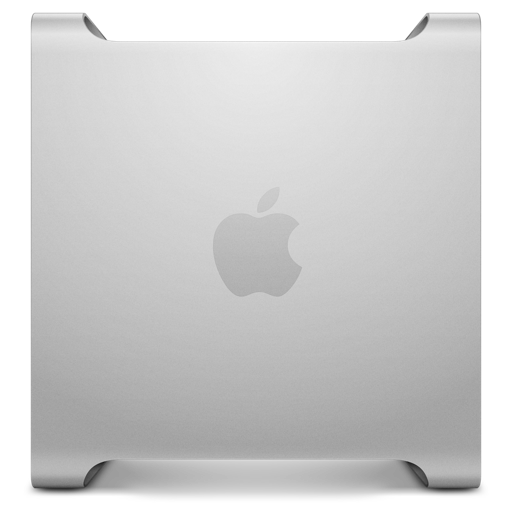
Mac Pro

Mac Pro

MacPro5,1 · Mid 2010/2012
  • Processor2 × 6-core Intel Xeon 3.46 GHz (12 cores, Westmere)
  • Memory96 GB
  • GraphicsAMD Radeon RX 6800 XT, 16 GB, Metal
  • Displays3440 × 1440 + 1920 × 1200
  • macOS12.7.6 (21H1320) via OCLP
  • Builds useMetal (Brave, Electron)

Ventura+  12 cores and 24 threads at 3.46 GHz with 96 GB is still plenty for building Chromium. Without AVX, though, Ventura+ would mean trading this card for an RX 580/590 with roughly a third of the performance.
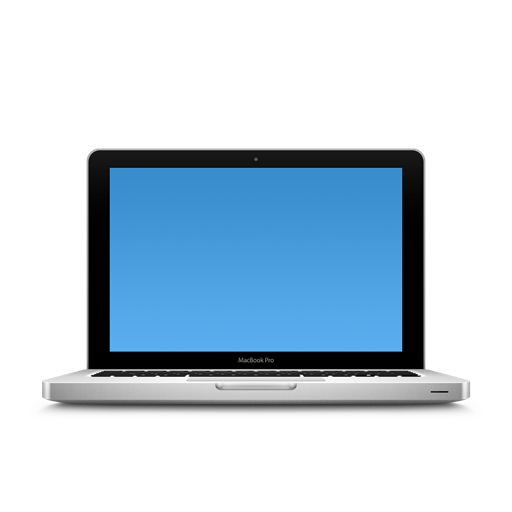
MacBook Pro 13-inch

MacBook Pro 13"

MacBookPro7,1 · Mid 2010
  • ProcessorIntel Core 2 Duo T9900 3.06 GHz (upgraded)
  • Memory16 GB
  • GraphicsNVIDIA GeForce 320M, 256 MB, OpenGL 3.3, no Metal
  • Display1280 × 800
  • macOS12.7.6 (21H1320) via OCLP
  • Builds useANGLE OpenGL 3.3, Skia Ganesh

Ventura+  Every release from 13 onward is extremely slow on this MacBook. On Monterey, stock apps render on the CPU and the fan roars. With the OpenGL builds the GPU does the drawing, so the MacBook stays quiet and cool and the battery lasts longer.

The two things that make everything else possible.

A current browser and a current Electron runtime, both compiled with a 12.0 deployment target. Once these work, the rest of the software follows.

Brave
Browser

Brave 155

Brave 1.97.59 · Chromium 155.0.8059.85 · x86_64

One package for every Mac, built with PGO and ThinLTO. It uses ANGLE Metal where the GPU has it and switches to ANGLE OpenGL 3.3 by itself when there's no Metal device, keeping GPU compositing and WebGL 1 on the GeForce 320M.

299 MB · from GitHub
Release notes About Brave
brave-v1.97.59-macos12-x64-metal-opengl.tar.gz
sha256 3edb6e6c…15b85599
Electron
Runtime

Electron 44

44.7.2 · Chromium 152.0.7977.149 · Node 24.21.0

Swap it into an existing app like Cursor (see how), or build your own app against it. With no Metal device it starts with --use-angle=gl automatically.

electron-v44.7.2-macos12-darwin-x64.zip
sha256 f513ed33…25136de7

How it works.

Upstream Electron 44 and Chromium set LSMinimumSystemVersion to 13.0 and call APIs that don't exist on 12. Editing the Info.plist isn't enough. The Framework and every helper have to be compiled for 12.0.

Three patch sets fix this. One allows a 12.0 deployment target and links Metal. One adds shims for macOS 13-only process, display and ScreenCaptureKit APIs. One re-enables ANGLE OpenGL, the GLES2 path and rectangle IOSurface textures, which Chromium had removed.

At startup the runtime calls MTLCreateSystemDefaultDevice(). If there's no Metal GPU, it switches to OpenGL on its own. Any explicit flag you pass still wins.

# Mac Pro 5,1, Radeon RX 6800 XT
GPU process: Metal device found → ANGLE Metal  ✓

# MacBook Pro 7,1, GeForce 320M, no Metal
GPU process: no Metal device → --use-angle=gl  ✓

# forced by the user
$ open -a "Brave Browser" --args --use-angle=gl
GPU process: explicit flag wins  ✓
Every build here is made for macOS 12 Monterey on Intel

Built on top.

Apps rebuilt against the Monterey runtime, or with the new runtime swapped into the official bundle. Plus native picks for daily work: Zed as a code editor, Qrow as a SQL client in place of DataGrip or DBeaver, Extended Terminal in place of iTerm2, and Stats as a menu-bar system monitor.

Open the App Library

Installing.

None of these builds have a Developer ID signature or notarization. That takes about a minute to work around.

  1. Check the archive.

    Every archive, on GitHub or on this site, has a .sha256 file next to it. Download both and run shasum -a 256 -c file.sha256 before you unpack anything.

  2. Back up first.

    Quit the app and copy both the old bundle and its profile, for example ~/Library/Application Support/BraveSoftware/Brave-Browser. A newer version may migrate profile data so that the old version can't read it.

  3. Clear quarantine.

    Move the app to /Applications, then run xattr -dr com.apple.quarantine "/Applications/Brave Browser.app", or right-click it and choose Open.

  4. Choose the renderer.

    Brave and the Electron apps pick a renderer automatically: Metal if the GPU has it, OpenGL otherwise. To force one, set brave://flags/#use-angle or launch with --use-angle=gl.

  5. Keep auto-update off.

    An official updater will replace the custom runtime with one that won't launch on 12. T3 Code ships with updates disabled. For swapped apps, turn updates off in the app.

Do it yourself

Bring your own app.

Many Electron apps refuse to start on Monterey only because of the engine inside them. Swapping in this Electron can bring some of those apps back: download the official app, put its code into the Monterey runtime, and it starts on twelve, faster, with OpenGL on Macs without Metal.

Example: Cursor.

Get Cursor from cursor.com. Current releases won't start on macOS 12. Put Cursor's Resources folder into the Electron 44.7.2 runtime from this site, rename the helpers, set the minimum system to 12.0 and re-sign the bundle ad hoc. The app code isn't touched, so sign-in, settings and extensions stay the same.

What you get.

The app starts on macOS 12. On a Mac without Metal it draws with OpenGL on the GPU instead of the CPU, so the interface is noticeably faster, the fan stays quiet, the Mac stays cool and the battery lasts longer.

Other apps.

The same recipe can work for other Electron apps: VS Code-style editors, chat clients, note apps. That's how the GitHub Desktop and Pritunl builds here were made. It works best when the app's own Electron is close to 44. Apps whose native modules were built for a much older Electron may not start. Turn off the app's auto-update, or it will put the stock engine back.

# put Cursor's code into the Monterey runtime
$ ditto -xk electron-v44.7.2-macos12-darwin-x64.zip rt/
$ ditto rt/Electron.app "Cursor.app"
$ ditto /Applications/Cursor.app/Contents/Resources \
        "Cursor.app/Contents/Resources"
  Info.plist  LSMinimumSystemVersion = 12.0
  Electron Helper*.app → Cursor Helper*.app
$ codesign --force --deep -s - "Cursor.app"
✓ Cursor.app

# MacBookPro7,1, GeForce 320M, no Metal
GPU process: no Metal device → --use-angle=gl  ✓